Open purchase options
Find the highlighted purchase control
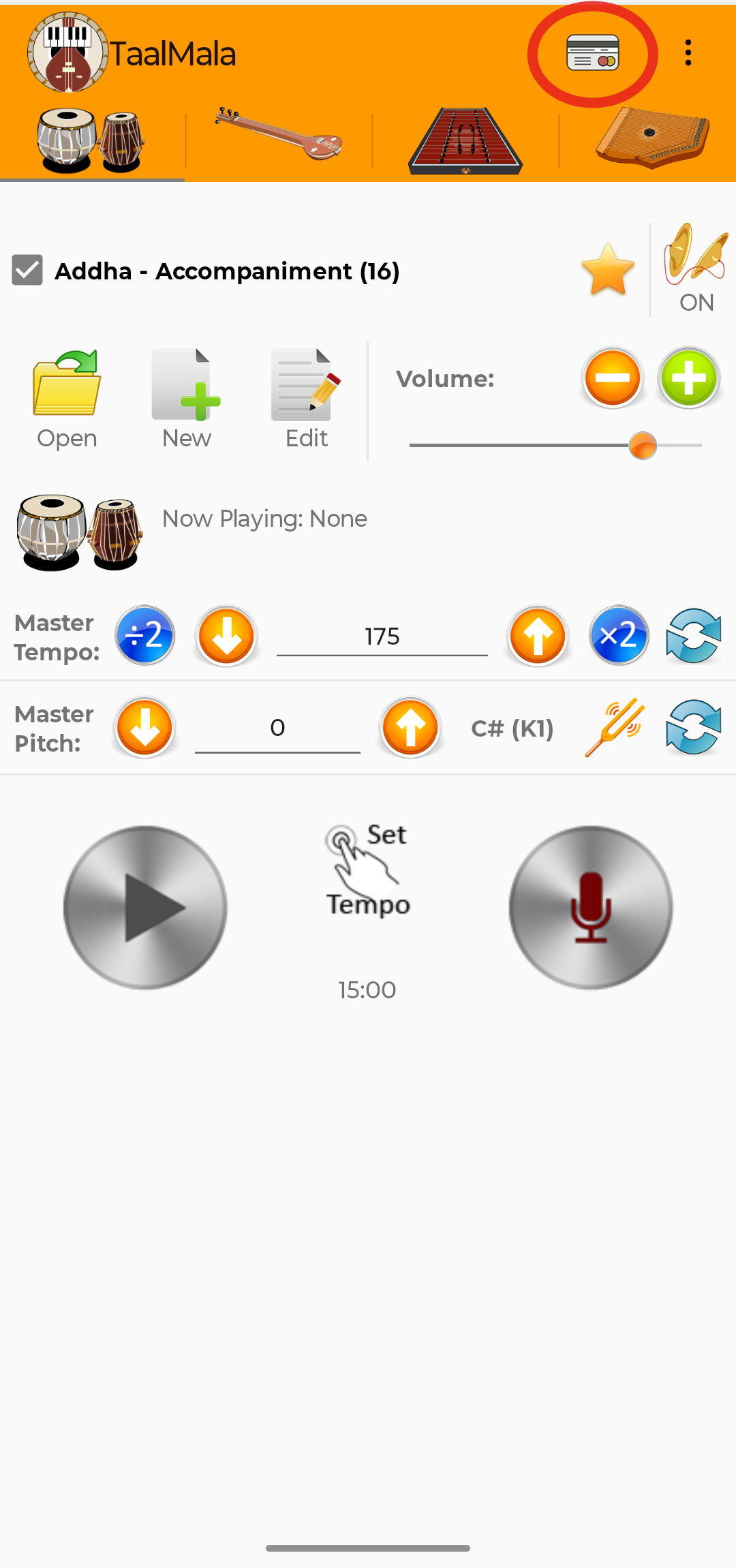
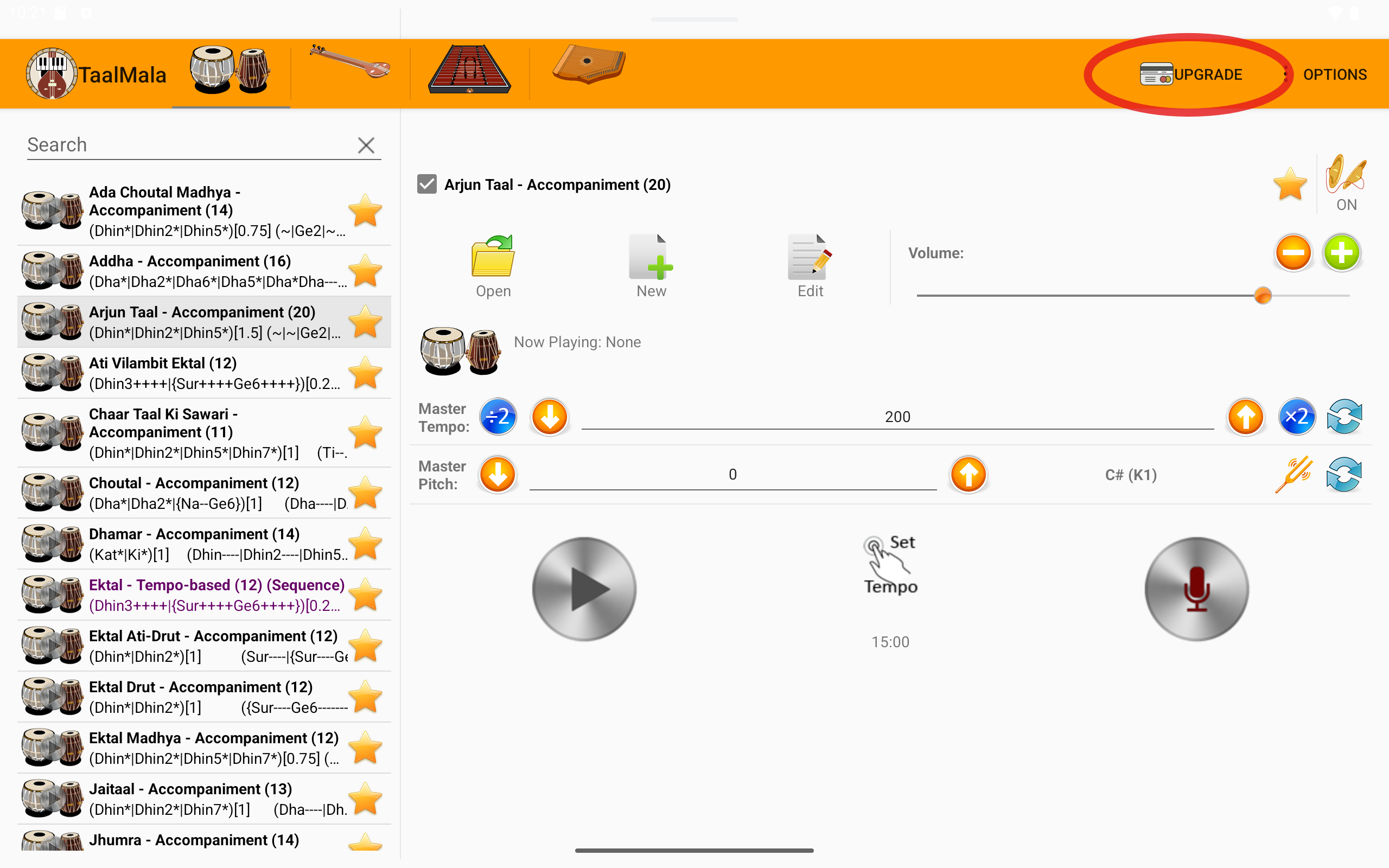
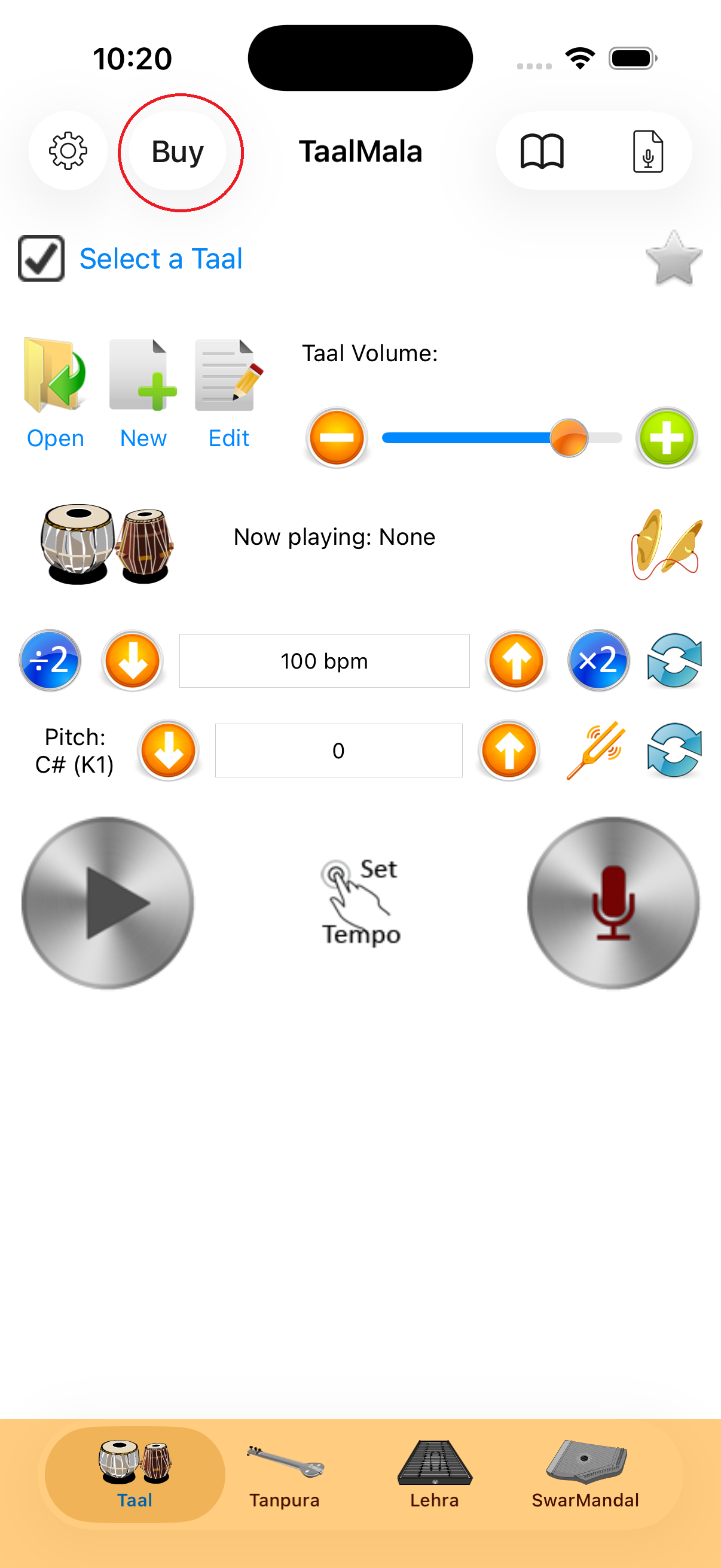
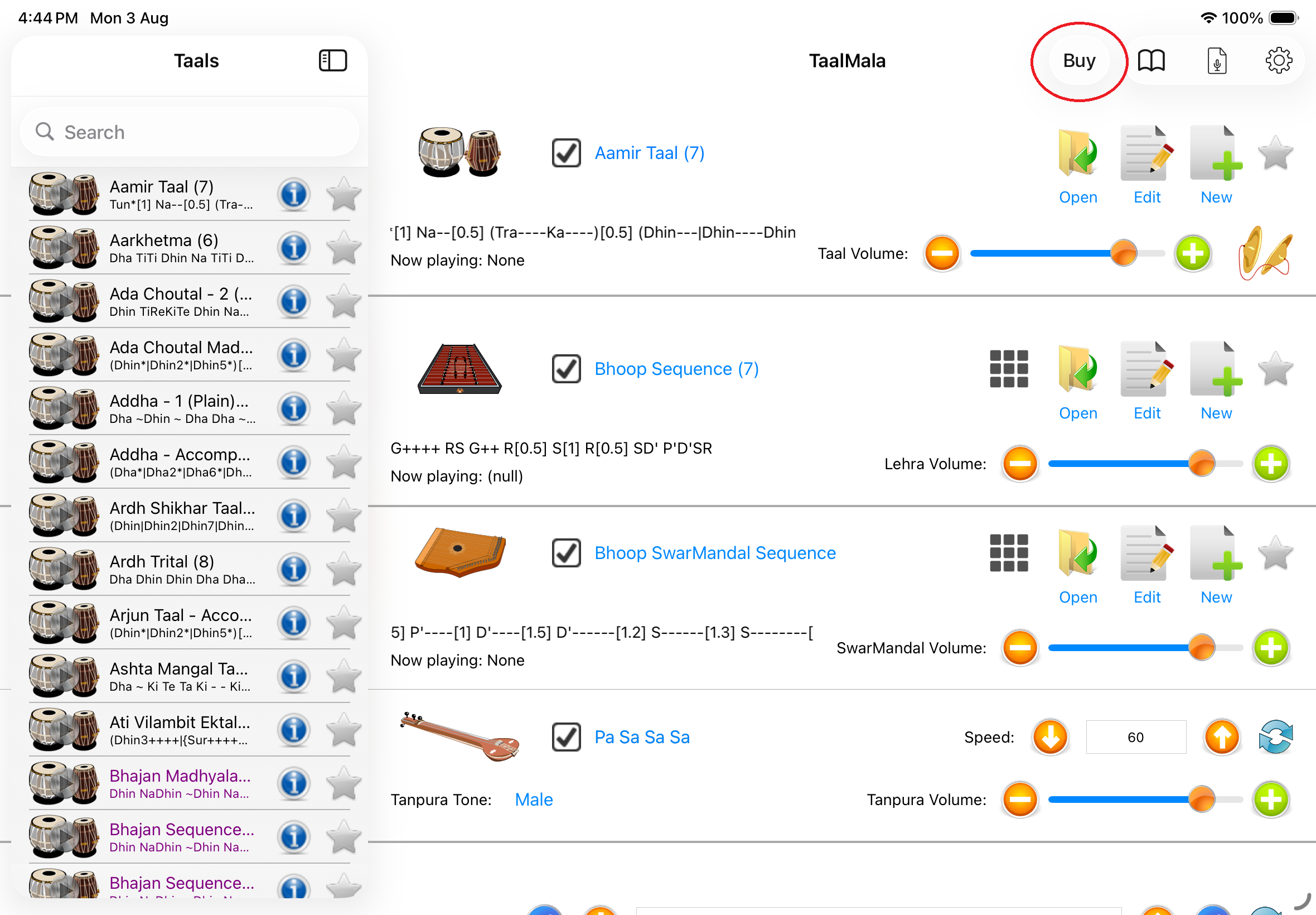
On Android, tap the card-shaped purchase icon on a phone or Upgrade on a tablet. On iPhone or iPad, tap Buy. The red oval identifies the correct control in each screenshot.


Mobile Premium subscription
Mobile editions of TaalMala are licensed through a Premium subscription purchased inside the app. The screenshots below show where to begin on Android, iPhone and iPad.
The subscription flow is the same on both platforms. Only the location and appearance of the purchase control differ.
Open purchase options
On Android, tap the card-shaped purchase icon on a phone or Upgrade on a tablet. On iPhone or iPad, tap Buy. The red oval identifies the correct control in each screenshot.


Choose a subscription
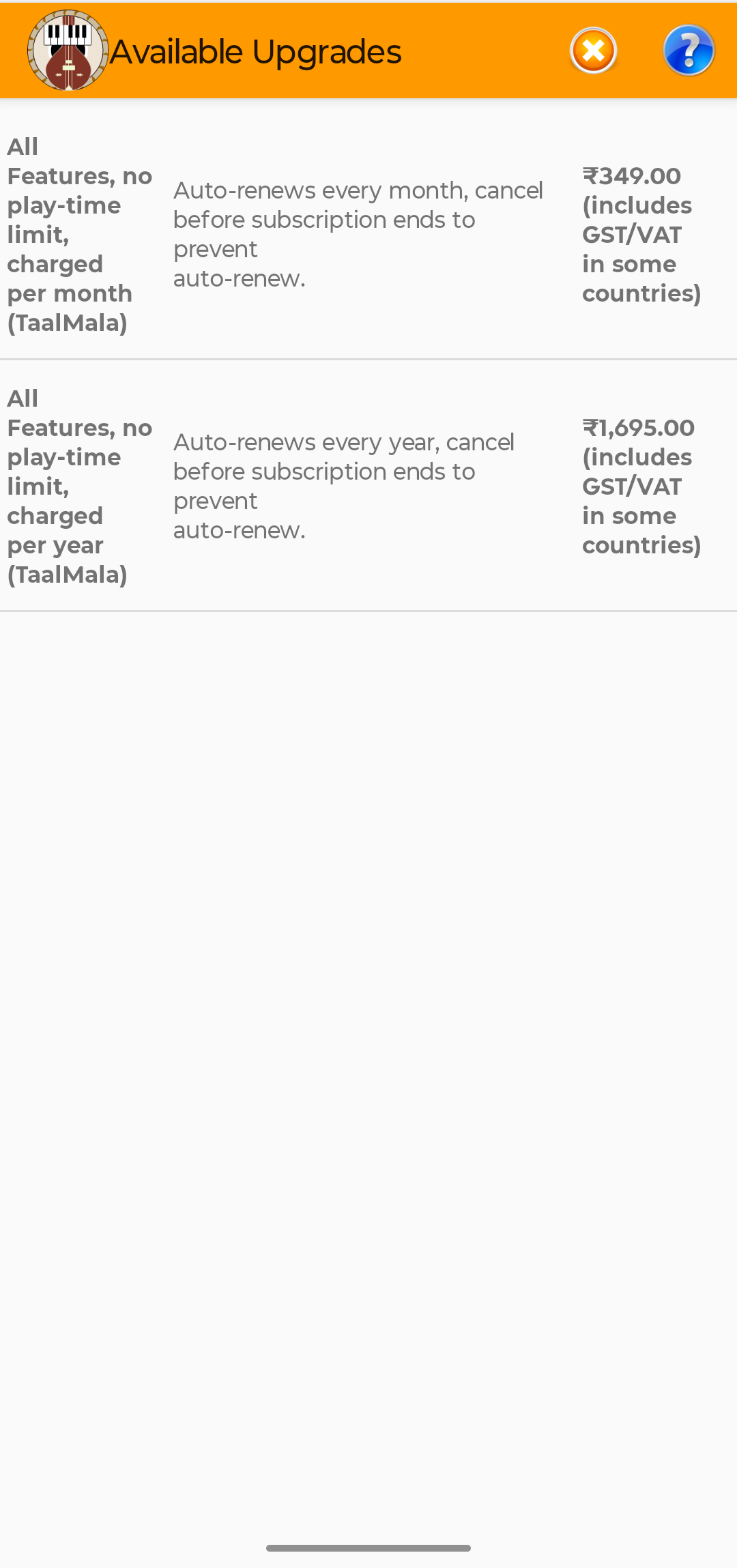
The Available Upgrades screen lists the subscription choices offered for your account. Tap the option you prefer to continue. The choices are presented similarly on Android and iOS.
The price and applicable taxes shown by Google Play or the App Store may vary by country.

Complete the purchase
Follow the store prompts for the account signed in on your device. After the transaction is completed, Premium features will become available on the device as long as you are signed into the device using the subscribed account. If it does not appear, please kill the TaalMala app from the device app history and restart.
Mobile licensing